Pages

Thursday, June 29, 2017

How to Check MD5 Sums of Installed Packages in Debian/Ubuntu Linux

Have you ever wondered why a given binary or package installed on your system does not work according to you expectations, meaning it does not function correctly as it is supposed to do, perhaps it can not event start at all.
While downloading packages, you may face challenges of unsteady network connections or unexpected power blackouts, this can result into installation of corrupted package.
Considering this as an important factor in maintaining uncorrupted packages on your system, it is therefore a vital step to verify the files on the file system against the information stored in the package by using following article.

Learn How to Generate and Verify Files with MD5 Checksum in Linux

A checksum is a digit which serves as a sum of correct digits in data, which can be used later to detect errors in the data during storage or transmission. MD5 (Message Digest 5) sums can be used as a checksum to verify files or strings in a Linux file system.
MD5 Sums are 128-bit character strings (numerals and letters) resulting from running the MD5 algorithm against a specific file. The MD5 algorithm is a popular hash function that generates 128-bit message digest referred to as a hash value, and when you generate one for a particular file, it is precisely unchanged on any machine no matter the number of times it is generated.

fswatch – Monitors Files and Directory Changes or Modifications in Linux

fswatch is a cross-platform, file change monitor that gets notification alerts when the contents of the specified files or directories are altered or modified.
It executes four types of monitors on different operating systems such as:
  1. A monitor build on the File System Events API of Apple OS X.
  2. A monitor based on kqueue, a notification interface present in FreeBSD 4.1 also supported on many *BSD systems, OS X inclusive.
  3. A monitor based on File Events Notification API of the Solaris kernel plus its spin-offs.
  4. A monitor based on inotify, a kernel subsystem that shows file system modifications to apps.
  5. A monitor based on ReadDirectoryChangesW, a Windows API that records alters to a directory.
  6. A monitor that regularly check that status of file system, keeps file modification times in memory, and manually determine file system changes (which works anywhere, where stat can be used).

Progress – A Tiny Tool to Monitor Progress for (cp, mv, dd, tar, etc.) Commands in Linux

Progress, formerly known as Coreutils Viewer, is a light C command that searches for coreutils basic commands such as cp, mv, tar, dd, gzip/gunzip, cat, grep etc currently being executed on the system and shows the percentage of data copied, it only runs on Linux and Mac OS X operating systems.
Additionally, it also displays important aspects such as estimated time and throughput, and offers users a “top-like” mode.

11 Advanced Linux ‘Grep’ Commands on Character Classes and Bracket Expressions

Have you ever been into a situation where you need to search for a string, word or pattern inside a file? if yes, then the grep utility comes handy in such situation.
grep is a command line utility for searching plain-text data for lines which matching a regular expression. If you will divide the word grep like g/re/p then the meaning of grep is (globally search a regular expression and print) which search pattern from the file and print the line on the screen i.e. standard output.

15 Examples of How to Use New Advanced Package Tool (APT) in Ubuntu/Debian

One important thing to master under Linux System/Server Administration is package management using different package management tools.
Different Linux distributions install applications in a pre-compiled package that contain binary files, configuration files and also information about the application’s dependencies.
Package management tools help System/Server Administrators in many ways such as:

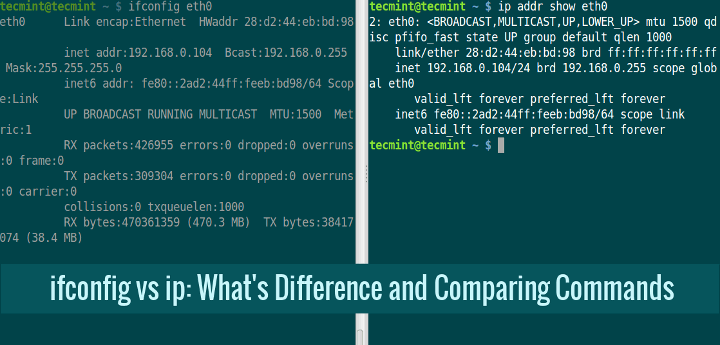
ifconfig vs ip: What’s Difference and Comparing Network Configuration

Linux based distributions have featured set of commands which provide way to configure networking in easy and powerful way through command-line. These set of commands are available from net-tools package which has been there for a long time on almost all distributions, and includes commands like: ifconfig, route, nameif, iwconfig, iptunnel, netstat, arp.
Ifconfig Vs IP Command

What’s Difference Between Grep, Egrep and Fgrep in Linux?

One of the renowned search tool on Unix-like systems which can be used to search for anything whether it be a file, or a line or multiple lines in file is grep utility. It is very vast in functionality which can be attributed to the large number of options it supports like: searching using string pattern, or reg-ex pattern or perl based reg-ex etc.
Difference Between grep, egrep and fgrep
Difference Between grep, egrep and fgrep in Linux

Install Htop 2.0 – Linux Process Monitoring for RHEL, CentOS & Fedora

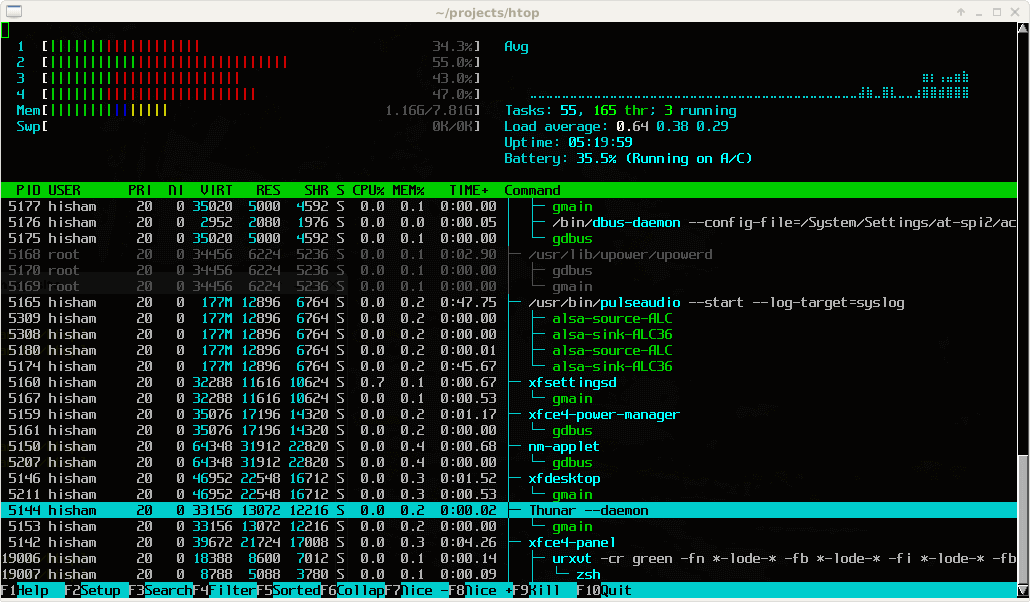
This article is the continuation of our Linux system monitoring series, today we’re talking about the most popular monitoring tool called htop, which is just reached to version 2.0.2 and comes with some cool new features.
Htop Linux Process Monitoring Tool
Htop 2.0: Linux Process Monitoring
Htop is an interactive real time process monitoring application for Linux/Unix like systems and also a handy alternative to top command, which is default process monitoring tool that comes with pre-installed on all Linux operating systems.

How to Restrict SFTP Users to Home Directories Using chroot Jail

In this tutorial, we will be discussing how to restrict SFTP users to their home directories or specific directories. It means the user can only access his/her respective home directory, not the entire file system.
Restricting users home directories is vital, especially in a shared server environment, so that an unauthorized user won’t sneak peek into the other user’s files and folders.
Important: Please also note that the purpose of this article is to provide SFTP access only, not SSH logins, by following this article will have the permissions to do file transfer, but not allowed to do a remote SSH session.

How to Start/Stop and Enable/Disable FirewallD and Iptables Firewall in Linux

Firewall is a software that acts as a shield between user’s system and external network allowing some packets to pass while discarding other’s. Firewall commonly operates on network layer i.e. on IP packets both Ipv4 and Ipv6.
Whether a packet will pass or will be bocked, depends on the rules against such type of packets in the firewall. These rules can be built-in or user-defined ones. Each packet which enters the network has to pass through this shield which verifies it against rules defined in it for such type of packets.

How to Use 8 Useful ‘Debian Goodies Utilities’ to Manage Debian Packages

Debian-goodies is a package that includes toolbox-style utilities used to manage Debian and its derivative systems such as Ubuntu, Kali Linux. The utilities under this package are developed in such a way to combine with many recognized shell tools and others are included because they cannot be developed as their own packages on Debian-based Linux distributions.
Debian Goodies Utilities to Manage Debian Packakges
8 Debian Goodies Utilities to Manage Debian Packages

10 fdisk Commands to Manage Linux Disk Partitions

fdisk stands (for “fixed disk or format disk“) is an most commonly used command-line based disk manipulation utility for a Linux/Unix systems. With the help of fdisk command you can view, create, resize, delete, change, copy and move partitions on a hard drive using its own user friendly text based menu driven interface.
This tool is very useful in terms of creating space for new partitions, organising space for new drives, re-organising an old drives and copying or moving data to new disks. It allows you to create a maximum of four new primary partition and number of logical (extended) partitions, based on size of the hard disk you have in your system.

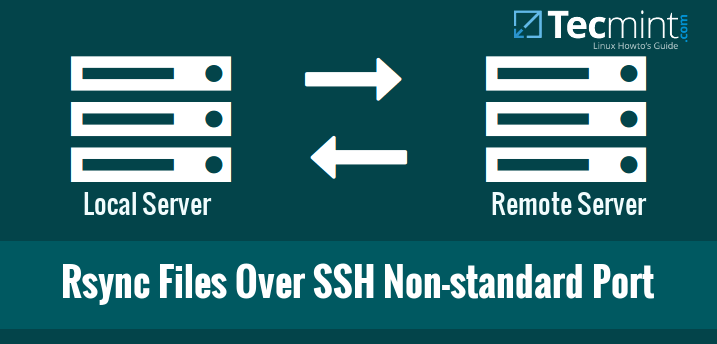
How to Sync Files/Directories Using Rsync with Non-standard SSH Port

Today, we will be discussing about how to sync files using rsync with non-standard SSH port. You might wonder why do we need to use non-standard SSH port? It is because of security reasons. Everybody knows 22 is the SSH default port.
Rsync Files Over SSH Non-standard Port

5 Command Line Ways to Find Out Linux System is 32-bit or 64-bit

This tutorial describes how to find out whether your Linux system’s OS is 32-bit or 64-bit. This will be helpful if you wanted to download or install an application in your Linux system. As we all know, we can’t install 64-bitapplications into a 32-bit OS type. That’s why knowing your Linux system’s OS type is important.
Check Linux System is 32-bit or 64-bit

Pscp – Transfer/Copy Files to Multiple Linux Servers Using Single Shell

Pscp utility allows you to transfer/copy files to multiple remote Linux servers using single terminal with one single command, this tool is a part of Pssh (Parallel SSH Tools), which provides parallel versions of OpenSSH and other similar tools such as:
  1. pscp – is utility for copying files in parallel to a number of hosts.
  2. prsync – is a utility for efficiently copying files to multiple hosts in parallel.
  3. pnuke – it helps to kills processes on multiple remote hosts in parallel.
  4. pslurp – it helps to copy files from multiple remote hosts to a central host in parallel.

How to Install and Use ‘yum-utils’ to Maintain Yum and Boost its Performance

Regardless of Fedora starting to adopt dnf as the new package manager and default package management library, it will not replace good old yum package manager for good in other spinoff distributions (such as Red Hat Enterprise Linux (RHEL) and CentOS) until it has proven to be as reliable as yum and more solid (according to the Fedora Project wiki, as of November 15, 2015, dnf is still in testable state). Thus, your yum-managementskills will serve you well for still quite some time.

How to Set Time, Timezone and Synchronize System Clock Using timedatectl Command

The timedatectl command is a new utility for RHEL/CentOS 7 and Fedora 21+ based distributions, which comes as a part of systemd system and service manager, a replacement for old traditional date command used in sysvinit daemon based Linux distributions.
Set System Time, Date and Timezone in Linux
Use timedatectl to Set System Time, Date and Timezone in Linux

How to Find and Kill Running Processes in Linux

Process management is one of the important aspects of System Administration in Linux, and it includes killing of processes using the kill command.
Find and Kill Running Processes in Linux

15 Useful ‘FFmpeg’ Commands for Video, Audio and Image Conversion in Linux – Part 2

In this article we are going to look at some options and examples of how you can use FFmpeg multimedia framework to perform various conversion procedures on audio and video files.
FFMPEG Command Examples in Linux
15 FFMPEG Command Examples in Linux