Pages

Thursday, June 1, 2017

Linux Tricks: Play Game in Chrome, Text-to-Speech, Schedule a Job and Watch Commands in Linux

Here again, I have compiled a list of four things under Linux Tips and Tricks series you may do to remain more productive and entertained with Linux Environment.
Linux Tips and Tricks Series
The topics I have covered includes Google-chrome inbuilt small game, Text-to-speech in Linux Terminal, Quick job scheduling using ‘at‘ command and watch a command at regular interval.

fdupes – A Command Line Tool to Find and Delete Duplicate Files in Linux

It is a common requirement to find and replace duplicate files for most of the computer users. Finding and removing duplicate files is a tiresome job that demands time and patience. Finding duplicate files can be very easy if your machine is powered by GNU/Linux, thanks to ‘fdupes‘ utility.
Find and Delete Duplicate Files in Linux
Fdupes – Find and Delete Duplicate Files in Linux

Tips to Create ISO from CD, Watch User Activity and Check Memory Usages of Browser

Here again, I have written another post on Linux Tips and Tricks series. Since beginning the objective of this post is to make you aware of those small tips and hacks that lets you manage your system/server efficiently.
Create Cdrom ISO Image and Monitor Users in Linux

Understanding Shell Commands Easily Using “Explain Shell” Script in Linux

While working on Linux platform all of us need help on shell commands, at some point of time. Although inbuilt help like man pages, whatis command is helpful, but man pages output are too lengthy and until and unless one has some experience with Linux, it is very difficult to get any help from massive man pages. The output of whatis command is rarely more than one line which is not sufficient for newbies.
Explain Shell Commands in Linux Shell

12 Useful PHP Commandline Usage Every Linux User Must Know

In my last post “How to Use and Execute PHP Codes in Linux Command – line”, I emphasized on running PHP codes directly in Linux Command-line as well as executing PHP script file in Linux Terminal.
Run PHP Codes in Linux Commandline
Run PHP Codes in Linux Commandline – Part 2

4 Useful Tips on mkdir, tar and kill Commands in Linux

We keep on accomplishing a task conventionally until we come to know that it can be done in a much better way the other way. In continuation of our Linux Tips and Trick Series, I am here with the below four tips that will going to help you in lots of ways. Here we go!
Linux Useful Tips
4 Linux Useful Tips and Hacks
1. You are supposed to create a long/complex directory tree similar to given below. What is the most effective way to achieve this?
Directory tree structure to achieve as suggested below.

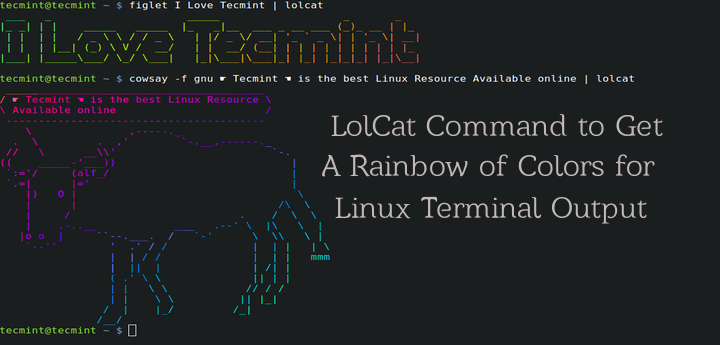
Lolcat – A Command Line Tool to Output Rainbow Of Colors in Linux Terminal

For those who believe that Linux Command Line is boring and there isn’t any fun, then you’re wrong here are the articles on Linux, that shows how funny and naughty is Linux..
  1. 20 Funny Commands of Linux or Linux is Fun in Terminal
  2. 6 Interesting Funny Commands of Linux (Fun in Terminal)
  3. Fun in Linux Terminal – Play with Word and Character Counts
Here in this article, I will be discussing about a small utility called “lolcat” – Which produce rainbow of colors in terminal.
Lolcat Command to Output Rainbow of Colors for Terminal