Pages

Thursday, June 29, 2017

What’s Difference Between Grep, Egrep and Fgrep in Linux?

One of the renowned search tool on Unix-like systems which can be used to search for anything whether it be a file, or a line or multiple lines in file is grep utility. It is very vast in functionality which can be attributed to the large number of options it supports like: searching using string pattern, or reg-ex pattern or perl based reg-ex etc.
Difference Between grep, egrep and fgrep
Difference Between grep, egrep and fgrep in Linux

Install Htop 2.0 – Linux Process Monitoring for RHEL, CentOS & Fedora

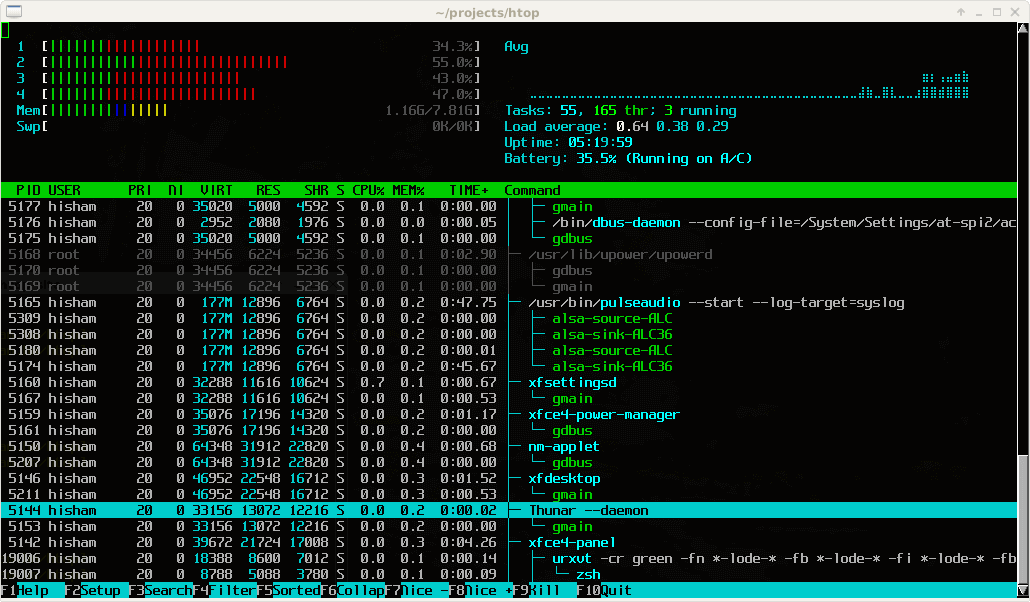
This article is the continuation of our Linux system monitoring series, today we’re talking about the most popular monitoring tool called htop, which is just reached to version 2.0.2 and comes with some cool new features.
Htop Linux Process Monitoring Tool
Htop 2.0: Linux Process Monitoring
Htop is an interactive real time process monitoring application for Linux/Unix like systems and also a handy alternative to top command, which is default process monitoring tool that comes with pre-installed on all Linux operating systems.

How to Restrict SFTP Users to Home Directories Using chroot Jail

In this tutorial, we will be discussing how to restrict SFTP users to their home directories or specific directories. It means the user can only access his/her respective home directory, not the entire file system.
Restricting users home directories is vital, especially in a shared server environment, so that an unauthorized user won’t sneak peek into the other user’s files and folders.
Important: Please also note that the purpose of this article is to provide SFTP access only, not SSH logins, by following this article will have the permissions to do file transfer, but not allowed to do a remote SSH session.

How to Start/Stop and Enable/Disable FirewallD and Iptables Firewall in Linux

Firewall is a software that acts as a shield between user’s system and external network allowing some packets to pass while discarding other’s. Firewall commonly operates on network layer i.e. on IP packets both Ipv4 and Ipv6.
Whether a packet will pass or will be bocked, depends on the rules against such type of packets in the firewall. These rules can be built-in or user-defined ones. Each packet which enters the network has to pass through this shield which verifies it against rules defined in it for such type of packets.

How to Use 8 Useful ‘Debian Goodies Utilities’ to Manage Debian Packages

Debian-goodies is a package that includes toolbox-style utilities used to manage Debian and its derivative systems such as Ubuntu, Kali Linux. The utilities under this package are developed in such a way to combine with many recognized shell tools and others are included because they cannot be developed as their own packages on Debian-based Linux distributions.
Debian Goodies Utilities to Manage Debian Packakges
8 Debian Goodies Utilities to Manage Debian Packages

10 fdisk Commands to Manage Linux Disk Partitions

fdisk stands (for “fixed disk or format disk“) is an most commonly used command-line based disk manipulation utility for a Linux/Unix systems. With the help of fdisk command you can view, create, resize, delete, change, copy and move partitions on a hard drive using its own user friendly text based menu driven interface.
This tool is very useful in terms of creating space for new partitions, organising space for new drives, re-organising an old drives and copying or moving data to new disks. It allows you to create a maximum of four new primary partition and number of logical (extended) partitions, based on size of the hard disk you have in your system.

How to Sync Files/Directories Using Rsync with Non-standard SSH Port

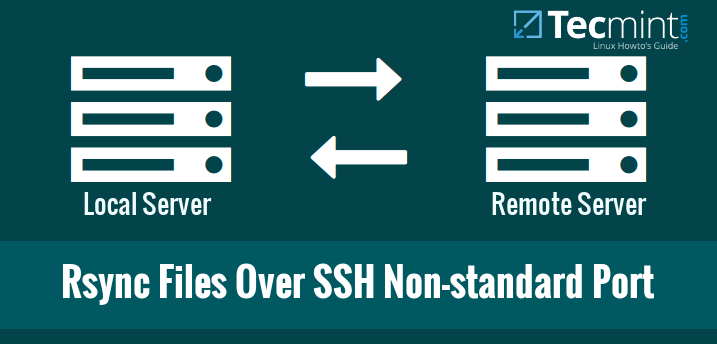
Today, we will be discussing about how to sync files using rsync with non-standard SSH port. You might wonder why do we need to use non-standard SSH port? It is because of security reasons. Everybody knows 22 is the SSH default port.
Rsync Files Over SSH Non-standard Port